What Is an Interactive Portfolio and Who Needs One?
An Interactive Portfolio is more than a digital resume or project gallery. It's a guided personal brand experience that helps people understand your value, explore your work, ask better questions, and take the next step.
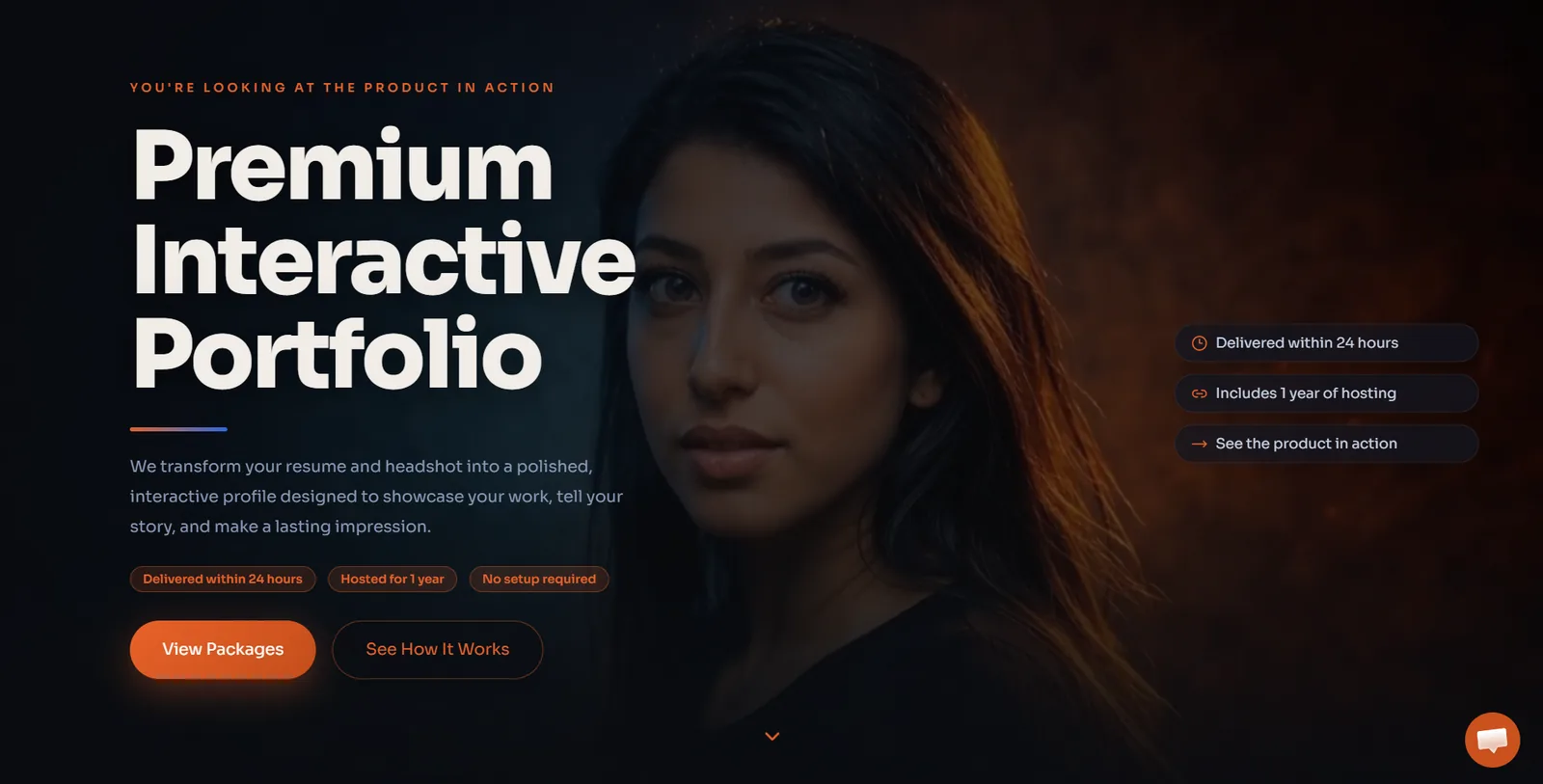
An interactive portfolio is more than a digital resume, personal website, or gallery of past work.
It's a guided online experience that helps people understand who you are, what you do, how you think, what you have built, and why your work matters.
A traditional portfolio usually shows examples. An interactive portfolio helps visitors explore your experience, filter your work, read project context, ask questions, watch media, download materials, and contact you when they're ready.
For professionals, creators, consultants, job seekers, and service providers, that difference matters.
People don't always have time to decode your background from a resume, LinkedIn profile, Instagram feed, or scattered project links. A strong interactive portfolio gives them one clear place to understand your value and take the next step.
An Interactive Portfolio from SiteBuilder Design gives professionals, creators, consultants, and job seekers a stronger way to present their work, experience, personality, and services online.
What Makes a Portfolio Interactive?
A portfolio becomes interactive when visitors can do more than scroll through a static page.
Interactive features may include:
- Project filters
- Expandable case studies
- Video or audio examples
- Before-and-after comparisons
- Clickable timelines
- Resume downloads
- Booking links
- Contact forms
- Testimonials
- AI-powered Q&A
- Skill or service pathways
- Media galleries
- Featured project cards
- Guided sections for different visitor types
The goal isn't to add effects for the sake of effects.
Interactive features should support the visitor journey. They should help people quickly find the most relevant information, understand the story behind your work, and know what to do next.
That's the same principle behind small business website design: every section should help people understand where they are, why they should care, and what to do next.
Interactive Portfolio vs. Traditional Portfolio
A traditional portfolio often works like a folder. It shows examples, screenshots, links, or samples.
That can be useful, but it may not explain the full story.
An interactive portfolio can show:
- What problem a project solved
- What role you played
- What tools you used
- What decisions you made
- What changed because of the work
- What kind of client, employer, or collaborator you're best suited for
- What next step someone should take after reviewing your work
A traditional portfolio says, “Here are some things I made.”
An interactive portfolio says, “Here is how I think, what I can do, and how this applies to your needs.”
That makes it especially useful for people whose work needs context.
Interactive Portfolio vs. Personal Website
A personal website can be simple: a short bio, a few links, and a contact form.
An interactive portfolio goes further.
It's built around exploration, proof, and action. It gives visitors a guided way to understand your background, view your work, ask questions, and take the next step.
A personal website says, “Here is who I am.”
An interactive portfolio says, “Here is what I can do, how I think, what I have built, and how to work with me.”
For some people, a simple personal website is enough. But if your work, experience, process, or services need to be explained clearly, an interactive portfolio gives you more room to tell the story.
Interactive Portfolio vs. Resume or LinkedIn Profile
A resume and LinkedIn profile are useful, but they have limits.
A resume is usually linear, short, and formatted around job history. LinkedIn gives you visibility, but it also places your story inside someone else’s platform, surrounded by distractions and limitations.
An interactive portfolio gives you more control.
You can decide:
- What work appears first
- Which projects receive the most context
- How your personality comes through
- Which services or skills are highlighted
- What proof is shown
- How people contact you
- Whether visitors can ask questions through an AI assistant
- How the portfolio connects to booking, email, or follow-up
LinkedIn can help people find you. A resume can summarize your background. But an interactive portfolio can help people understand you.
The strongest approach is often to use all three together: LinkedIn for discovery, resume for formal applications, and an interactive portfolio for depth, proof, and conversion.
The AI-Powered Portfolio Advantage
One of the most useful interactive features is an AI assistant trained on your background, projects, services, and frequently asked questions.
An AI portfolio assistant can help visitors ask questions like:
- What kind of work do you do?
- What projects are most relevant to this role?
- Do you have WordPress experience?
- Have you worked with ecommerce?
- What tools do you use?
- What industries have you worked in?
- Are you available for freelance work?
- How can I contact you?
- Can I see examples related to marketing, design, audio, real estate, or technology?
Instead of forcing people to hunt through a page, the assistant can guide them toward the most relevant section, project, resume item, case study, or contact path.
But the assistant needs boundaries.
An AI portfolio assistant should answer from approved information, guide people to the right next step, and avoid inventing claims. For a deeper breakdown of AI boundaries, lead capture, and human handoff, see AI Chatbots for Small Business: What They Should and Shouldn’t Do.
SiteBuilder Design’s AI chatbot and automation services can also support portfolios that need guided Q&A, lead capture, booking, and follow-up.
A Simple Interactive Portfolio Blueprint
A strong interactive portfolio usually needs five layers.
1. Positioning
This explains who you are, what you do, who you help, and why it matters.
Your positioning should make the portfolio easy to understand within a few seconds. Visitors should not have to guess whether you're a designer, developer, consultant, musician, photographer, real estate professional, coach, job seeker, or service provider.
2. Proof
Proof shows that your claims are real.
This can include:
- Work samples
- Case studies
- Testimonials
- Outcomes
- Project examples
- Press mentions
- Certifications
- Resume highlights
- Client logos
- Before-and-after examples
Proof is what turns a portfolio from self-description into evidence.
3. Personality
A portfolio should help people understand how you communicate, what you value, and what it may be like to work with you.
This doesn't mean oversharing. It means making the experience feel human.
Personality can show up through:
- Writing style
- Visual style
- Project notes
- Process explanations
- Short videos
- Audio samples
- Personal brand language
- Selective storytelling
4. Interaction
Interactive elements help visitors explore the portfolio in a way that fits their interest.
This may include filters, timelines, media, AI Q&A, expandable case studies, guided sections, comparison sliders, or project cards.
The interaction should make the portfolio easier to understand, not harder to use.
5. Conversion
The portfolio should make the next step clear.
That might be:
- Contact form
- Booking link
- Resume download
- Quote request
- Collaboration inquiry
- Email signup
- Media kit download
- Project request form
- Consultation call
The best portfolios don't just show everything. They guide the visitor toward the parts that matter most.
What Visitors Should Be Able to Do
A strong interactive portfolio should help visitors:
- Understand your value quickly
- View your most relevant work
- See the story behind your projects
- Understand your skills and tools
- Learn how you approach problems
- Ask common questions
- Download a resume, media kit, or one-sheet
- Book a call or submit an inquiry
- Share the portfolio with someone else
- Decide whether you're the right fit
If visitors leave impressed but unsure what to do next, the portfolio hasn't finished its job.
The goal isn't just attention. The goal is useful action.
Who Needs an Interactive Portfolio?
Interactive portfolios can help anyone whose work, value, or professional story benefits from context.
They're especially useful for people who need to stand out, explain their experience clearly, or give visitors a better way to explore their work.
Job Seekers and Career Changers
Job seekers often need more than a resume.
A resume can list experience, but it doesn't always show how you think, what you built, what problems you solved, or how your background connects to the role you want next.
An interactive portfolio can help job seekers show:
- Featured projects
- Resume highlights
- Skills and tools
- Career story
- Work samples
- Case studies
- Testimonials or recommendations
- Role-specific experience
- Downloadable resume
- AI Q&A for recruiters or hiring managers
This is especially valuable for career changers.
If your experience spans multiple roles, industries, or skill sets, an interactive portfolio can connect the dots in a way a resume often can't.
Freelancers and Consultants
Freelancers and consultants need to build trust quickly.
Potential clients want to know what you do, who you help, what kind of work you have done, and how to start a conversation.
An interactive portfolio can support:
- Service descriptions
- Project examples
- Case studies
- Packages or pricing guidance
- Client testimonials
- FAQ sections
- Consultation booking
- Contact forms
- AI assistant support
- Lead capture and follow-up
For consultants and service providers, the portfolio should act like a focused business website. It should help visitors understand your value and take action.
A portfolio should not stop at contact. If inquiries matter, learn how to connect forms, email, booking, and follow-up into one workflow so the next step is easy for both the visitor and the owner.
Designers, Developers, and Creative Professionals
Designers, developers, writers, marketers, video editors, UX professionals, and creative specialists often need to show both output and process.
A screenshot is rarely enough.
A strong interactive portfolio can explain:
- The project goal
- Your role
- The tools used
- The problem solved
- The design or technical decisions made
- The result or outcome
- What you would improve next
This helps clients and employers understand your judgment, not just your finished work.
For web professionals, this is especially important because the portfolio itself becomes proof of how you think about user experience, performance, messaging, and conversion.
Creators, Artists, Musicians, and Photographers
Creative work often needs atmosphere, context, and curation.
An interactive portfolio can help creators present work in a way that feels more intentional than a social media feed.
It can include:
- Photo galleries
- Video reels
- Audio samples
- Project stories
- Press quotes
- Booking information
- Merch or product links
- Licensing information
- Collaboration inquiries
- Email signup
- AI Q&A
For creators who want more control over audience ownership, an interactive portfolio can become a branded home base for media, links, booking, products, email capture, and collaboration inquiries.
Social platforms are useful for discovery, but your portfolio gives you a place you control.
Real Estate Professionals
Real estate professionals often rely heavily on platform profiles, brokerage pages, and social media.
Those are useful, but they may not give the agent enough control over their personal brand, local expertise, listings, testimonials, and lead capture.
An interactive portfolio can help real estate pros show:
- Personal brand story
- Neighborhood expertise
- Featured listings
- Sold properties
- Testimonials
- Buyer and seller resources
- Local guides
- Video introductions
- Contact forms
- Booking links
- AI Q&A for common buyer or seller questions
For a deeper look at this use case, see Why Every Real Estate Pro Needs Their Own Website.
Coaches, Educators, and Experts
Coaches, educators, trainers, and subject-matter experts need to establish credibility and clarify their approach.
An interactive portfolio can help explain:
- Teaching style
- Programs or services
- Credentials
- Testimonials
- Media appearances
- Course samples
- Speaking topics
- Booking options
- Resources
- Email signup
This is especially useful when the person is the product.
Visitors need to understand not only what you offer, but why your approach is a good fit.
Small Business Owners and Service Providers
Some small business owners don't need a full traditional business website at first. They may need a strong personal brand page that explains who they are, what they offer, and how to contact them.
An interactive portfolio can work well for:
- Solo service providers
- Independent contractors
- Consultants
- Local specialists
- Tradespeople with visual work
- Personal brands
- Speakers
- Coaches
- Creative entrepreneurs
For some businesses, this can become the first version of a larger website. For others, it can support a separate brand, side project, or specific offer.
Who May Not Need an Interactive Portfolio?
Not everyone needs a full interactive portfolio.
You may not need one if:
- You already have a strong website that clearly explains your work and converts visitors.
- Your work isn't public-facing and doesn't need deeper context.
- You only need a simple resume page or contact page.
- You don't have enough projects, proof, or positioning yet.
- You're not ready to maintain or update your professional story.
In those cases, a simpler personal website, LinkedIn refresh, or focused landing page may be enough.
But if people need to understand your experience, compare your work, ask questions, view examples, or contact you for opportunities, an interactive portfolio can give them a much stronger path.
What Should an Interactive Portfolio Include?
The exact structure depends on the person and the goal, but most strong interactive portfolios include the following elements.
Clear Positioning
Visitors should understand who you are and what you do quickly.
A strong positioning section may include:
- Your role or specialty
- Who you help
- What kind of work you do
- What makes your approach different
- The main action you want visitors to take
Avoid vague phrases that could apply to anyone.
Instead of saying:
Creative professional helping brands grow.
Say something more specific:
Web designer and digital marketing strategist helping small businesses turn outdated websites into clearer lead-generation systems.
Specific positioning makes the rest of the portfolio easier to understand.
Featured Work or Case Studies
A portfolio should highlight the work that best supports your goal.
Do not show everything equally.
Choose projects that demonstrate your strongest skills, most relevant experience, or best future direction.
A good project section should explain:
- Project name
- Client or context
- Problem or goal
- Your role
- Tools or skills used
- Process
- Outcome
- Link or media sample
Context matters. Visitors should understand why the work was done, not just what it looked like.
Skills, Tools, and Services
An interactive portfolio should make your capabilities easy to scan.
This might include:
- Technical skills
- Creative tools
- Software platforms
- Services offered
- Industries served
- Certifications
- Methodologies
- Process steps
For freelancers and consultants, this section can connect directly to service inquiries.
For job seekers, it helps recruiters quickly match your background to a role.
Testimonials, Proof, or Recommendations
Proof builds trust.
This may include:
- Client testimonials
- LinkedIn recommendations
- Employer feedback
- Reviews
- Case study outcomes
- Metrics
- Awards
- Press mentions
- Before-and-after examples
The best proof is specific.
A vague compliment is nice. A testimonial that describes what changed because of your work is stronger.
Contact or Booking Path
Visitors should not have to hunt for the next step.
Your portfolio may include:
- Contact form
- Email link
- Booking link
- Resume download
- Project inquiry form
- Collaboration request
- Newsletter signup
- Social profile links
If the portfolio is meant to generate leads, the contact path should connect to a real follow-up process. Learn how to connect forms, email, booking, and follow-up into one workflow so inquiries don't disappear after someone reaches out.
Search-Friendly Structure
A portfolio should be structured for search, not just aesthetics.
That means using:
- Clear page titles
- Descriptive project names
- Search-friendly headings
- Image alt text
- Case study pages with real context
- Internal links between related projects and services
- Fast mobile performance
- Schema markup where appropriate
- Helpful summaries for featured projects
- Clean URLs where possible
If you want the portfolio to attract opportunities, it should be built for both people and search engines.
SiteBuilder Design’s SEO services focus on technical structure, metadata, internal links, service pages, and content that answers real buyer questions.
Interactive Portfolio Checklist
Before launching, make sure your portfolio includes:
- Clear positioning statement
- Strong hero section
- Featured work or case studies
- Project context, not just images
- Skills and tools
- Testimonials, proof, or recommendations
- Contact or booking path
- Mobile-friendly design
- Fast-loading media
- Search-friendly titles and descriptions
- Optional AI assistant with clear boundaries
- Analytics or tracking
- Clear next step for each visitor type
- A simple plan for updates
A portfolio doesn't need to be huge, but it does need to be intentional.
Common Interactive Portfolio Mistakes
Interactive portfolios can be powerful, but they can also become confusing if they're not planned well.
Avoid these common mistakes.
1. Adding Interactivity Without Purpose
Animations, filters, videos, hover effects, and AI chat can be useful, but only if they help the visitor.
If the interaction slows the site down, hides important information, or distracts from the work, it hurts the experience.
Every interactive element should have a reason.
2. Showing Work Without Context
A gallery of images isn't always enough.
Visitors need to understand what they're looking at, what problem the work solved, what role you played, and why it matters.
Context turns a portfolio sample into a story.
3. Making the Portfolio Too Broad
A portfolio that tries to show everything can become hard to understand.
If you're targeting a job, client type, industry, or opportunity, your portfolio should prioritize the work most relevant to that goal.
You can still include variety, but the main path should feel clear.
4. Forgetting the Next Step
A visitor may like your work and still leave if the next step is unclear.
Make it obvious how to contact you, book a call, download your resume, request a quote, or view the most relevant project.
The portfolio should guide action, not just admiration.
5. Forgetting SEO
A portfolio can also support search visibility when it's structured correctly.
Use clear titles, metadata, headings, image descriptions, and project pages that explain the work in plain language.
If your portfolio is built entirely around visuals with very little text, search engines may have trouble understanding it.
A portfolio should be visually strong and readable.
How SiteBuilder Design Builds Interactive Portfolios
SiteBuilder Design builds interactive portfolios around clarity, proof, and action.
A strong portfolio should look polished, but it should also work strategically.
That means thinking through:
- Who the portfolio is for
- What the visitor needs to understand
- Which projects matter most
- What proof should be shown
- What interaction helps the experience
- Whether AI Q&A would be useful
- How visitors should contact or book
- How the portfolio should support search visibility
- How the portfolio can be updated over time
SiteBuilder Design’s Interactive Portfolio offer is designed for professionals, creators, consultants, job seekers, and service providers who need more than a basic personal page.
Your portfolio can be built with project storytelling, personal brand messaging, AI-powered Q&A, contact forms, booking links, resume downloads, testimonials, and search-friendly structure.
Need a Portfolio That Does More Than List Your Experience?
An interactive portfolio isn't just a prettier resume.
It's a guided personal brand system that helps people understand your value, explore your work, ask better questions, and take the next step.
SiteBuilder Design creates Interactive Portfolios for professionals, creators, consultants, job seekers, and service providers who need a stronger way to present their work, answer common questions, and turn attention into action.
Your portfolio can include project storytelling, personal brand messaging, AI-powered Q&A, contact forms, booking links, resume downloads, testimonials, and search-friendly structure.
View Interactive Portfolio Options or Contact SiteBuilder Design to plan a portfolio that helps people understand what you do and why it matters.
Frequently Asked Questions
What is an interactive portfolio?
An interactive portfolio is an online portfolio that lets visitors explore your work, experience, skills, projects, media, and contact paths through guided sections, filters, case studies, media, forms, booking links, or AI-powered Q&A.
How is an interactive portfolio different from a regular portfolio?
A regular portfolio usually displays examples of work. An interactive portfolio adds context, navigation, storytelling, proof, and action paths so visitors can better understand your value and take the next step.
Who needs an interactive portfolio?
Interactive portfolios are useful for job seekers, freelancers, consultants, designers, developers, creators, musicians, photographers, real estate professionals, coaches, educators, and service providers who need to explain their work and stand out online.
Is an interactive portfolio better than LinkedIn?
It doesn't replace LinkedIn. LinkedIn is useful for discovery and networking, while an interactive portfolio gives you more control over your story, work samples, visuals, contact paths, and personal brand experience.
Can an interactive portfolio include AI chat?
Yes. An AI assistant can answer common questions about your work, skills, services, availability, projects, or contact options. It should be trained on accurate information and include clear handoff rules.
Does an interactive portfolio help with SEO?
It can. A portfolio that uses clear headings, project descriptions, metadata, image alt text, fast mobile performance, and search-friendly structure can help people and search engines better understand your work.
What should an interactive portfolio include?
A strong interactive portfolio should include clear positioning, featured work or case studies, project context, skills, proof, testimonials or recommendations, contact options, mobile-friendly design, and a clear next step.
Can SiteBuilder Design build an interactive portfolio for me?
Yes. SiteBuilder Design creates interactive portfolios for professionals, creators, consultants, job seekers, and service providers who want a stronger way to present their work, answer questions, and generate opportunities.
Related service hub
Continue with Small Business Website Design
Plan a fast, modern, mobile-friendly website built around trust and conversion.
View the service hubNeed a clearer system?
Let’s make your website work harder.
SiteBuilder Design builds websites, SEO foundations, eCommerce flows, AI support, and follow-up systems that work together.